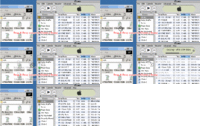
* B 1. For LW 5: Select the audio file in the LW Library via clicking on that tab, then selecting that file in the list. Right-click the file & choose
Locate on Disk & it will take you directly to the file. You can then drag & drop from there onto iTunes Music Library icon on top left side of iTunes window.
(
If using LW 5, see
Using LimeWire 5 to find your files on your computer using 'Locate File on Disk', however in LW 5 you can set in Option settings to allow iTunes to automatically import songs into its music library.)
For LW 4: You can select Saved Files folder in LW & press
Explore button & the folder will open up for you. Then you can drag & drop songs from there to iTunes 'Library' icon above the playlists. Select multiple files at once by holding down the SHIFT key as you select them. * This is by far the best & most efficient technique of adding music files to iTunes. If music files will not add to iTunes as shown, then they have either been previously added, else the files are fakes/corrupt.
But be aware iTunes can only import mp3 & m4a/mp4 files. iTunes cannot import wma (it can convert wma files), real player files, mp3pro, flac or ape files. iTunes can only import Ogg Vorbis files 'if' a 3rd party plug-in is installed.
 (click to see larger view)