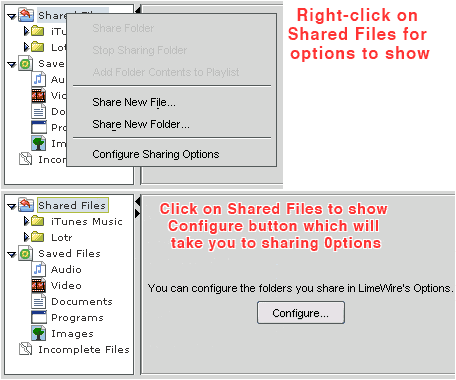
See How to Share Folders (click on link) Also by default your downld folder is shared (called Shared by default), unless you decided not to allow it. Also, if you click on Shared in the Library window, a configuration window will appear (if you're using LW 4.9). Click on the option & your Sharing preferences/options will show. You can also right-click on the Shared folder in the Library window & Share new file/folder & configure options will show in a small window that appear.
Last edited by Lord of the Rings; August 5th, 2008 at 06:04 AM.
Reason: To show whole image, not just the thumbnail so people don't need to click on thumbnail to see image full size ;)
|