
|
|
|||||||
| Register | FAQ | The Twelve Commandments | Members List | Find the Best VPN | Today's Posts | Search |
| Connection Problems Problems getting the LimeWire or WireShare program connecting to the Gnutella network.
(not about connecting to files, that is a Download/Upload Problems section issue.) Please supply system details as described in the forum rules.
Start here Suggestions to help you get connected, * try here first *, then see below (click on 'this' blue link) Did you FORGET something BEFORE you posted? If you post in this section you MUST provide these details: System details - help us to help you (click on 'this' blue link), else do not be surprised if your posting is ignored :) |
 |
|
|
Thread Tools | Display Modes |
|
#1
 August 24th, 2008
|
|||
|
|||
 Cannot connect...help!
I seemed to have tried everything in the stickys and still nothing... can someone please help.
1. OS version? windows xp home edition 2. What firewalls you have? firewalls on my computer are turned off (limewire still shows a firewall) 3. How much ram? 512 4. Hard Disk space available? 10gb 5. Connection type? cable 6. Modem & router brand name & model numbers? D-Link DCM 202 7. Where are you trying to connect from: House 8. What version of LimeWire (LW) & Java do you have? limewire 4.18.6PRO 9. Who is your ISP (Internet Service Provider)? cox 10. Do this simple test for us. Using your browser go here: http://www3.limewire.com:6346/ The page should say 'Your test worked!'. What happens when you go there? it said your test worked 11. Are you sharing the connection with other computers or p2p sharing programs? If yes, please give details of set up. not sharing 12. Is this a your 1st try at LW or is this a new problem with an experienced user. new problem with experienced user had lw on this computer before 13. Do you see a brick wall in front of the blue world icon at the bottom of LW's interface yes_ 14. For those using a modem/router, how is your modem/router set up...are you port forwarding or is UPnP enabled? i dont have a router 15. What security programs are you using (antivirus etc)? windows security base program that came with computer, and spysweeper 16. What country are you living in? usa 
|
|
#2
August 24th, 2008
|
||||
|
||||
|
Go to Start menu -> Programs -> LW -> Uninstall.
Then get either version LW 4.16 or 4.12 & install: LimeWire - OldVersion.com & see if that helps  If still issues, then run thru these tips again: http://www.gnutellaforums.com/connec...t-connect.html If still problems, then post back with which version of LW you chose. Also list which Java version you are using. LW's menu bar -> Help menu -> About LW 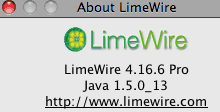
Last edited by Lord of the Rings; August 24th, 2008 at 06:55 PM.
|
|
#3
August 24th, 2008
|
|||
|
|||
|
Still no good....
Limewire 4.12.3 Java 1.6.0_07 I tried the port foward solution reccomended on here on this website Port Forwarding for the Norton Internet Security 2007 and got a brief slow connection, then lost it when my computer rebooted. Now I am stuck again 
|
|
#4
August 24th, 2008
|
||||
|
||||
|
Norton ? You didn't mention above you had Norton. sighs
(a) Make a note of your settings then: Try deleting your LW Preferences folder whilst LW is closed; instructions here: Point #2 & 3 in Fixes for Limewire (sample image included at bottom of page.) (b) Tip: Purge the Downloads Queue! (click on blue link) (c) Again, disable all your performance options, and OOB searching.  Set LW to manually connect via file menu. Set LW to manually connect via file menu.
|
|
|
|
 Similar Threads
|
||||
| Thread | Thread Starter | Forum | Replies | Last Post |
| Another connection problem. I've tried everything (can't connect from dorm but roommate can connect) | zidekd | General Mac OSX Support | 1 | December 13th, 2008 06:53 AM |
| Gprs Connect Unable To Connect Online | khara89 | Connection Problems | 17 | September 9th, 2008 12:44 AM |
| can't connect to limewire, have been able to connect to Bearshare in the past | dancindoll0506 | Connection Problems | 8 | March 28th, 2008 07:00 PM |
| Cannot connect to Frostwire on my laptop, but my desktop will connect... | mikej3131 | FrostWire | 5 | March 8th, 2008 08:54 PM |
| Cannot Connect to the Gnutella w/ PC Can connect w/ Laptop (Same network) | djyogi77 | General Windows Support | 1 | July 7th, 2007 03:12 PM |


 Linear Mode

