
|
|
|||||||
| Register | FAQ | The Twelve Commandments | Members List | Find the Best VPN | Today's Posts | Search |
| Open Discussion topics Discuss the time of day, whatever you want to. This is the hangout area. If you have LimeWire problems, post them here too. |
 |
|
|
Thread Tools | Display Modes |
|
#2
 September 7th, 2009
|
||||
|
||||

Go to your LW's menu bar, Tools -> Options, look down that page & you will see an iTunes option, press Configure button. Make sure iTunes is not set to add/copy the songs across. I guess your problem also revolves around choosing your Music folder as a download location.
Disable the first option: 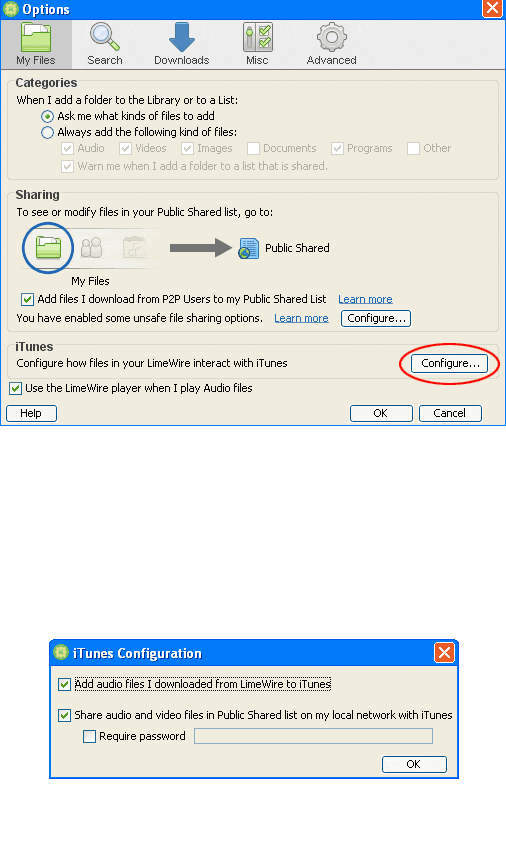

|
|
#3
September 27th, 2009
|
|||
|
|||
|
Can you help me with the reverse problem? Is there any way to re-populate my Limewire Library with my iTunes library? The only way I can find to do it is to add the files one by one. I have hundreds of songs and can't add an entire folder? What gives? When I right-click on my Library or Public Shared folders the import list feature doesn't work and the add file feature only allows one file at a time. Is this limitation on purpose or a really bad oversight? Or am I missing something? Thanks in advance.
|
|
#5
September 27th, 2009
|
||||
|
||||
|
Quote:
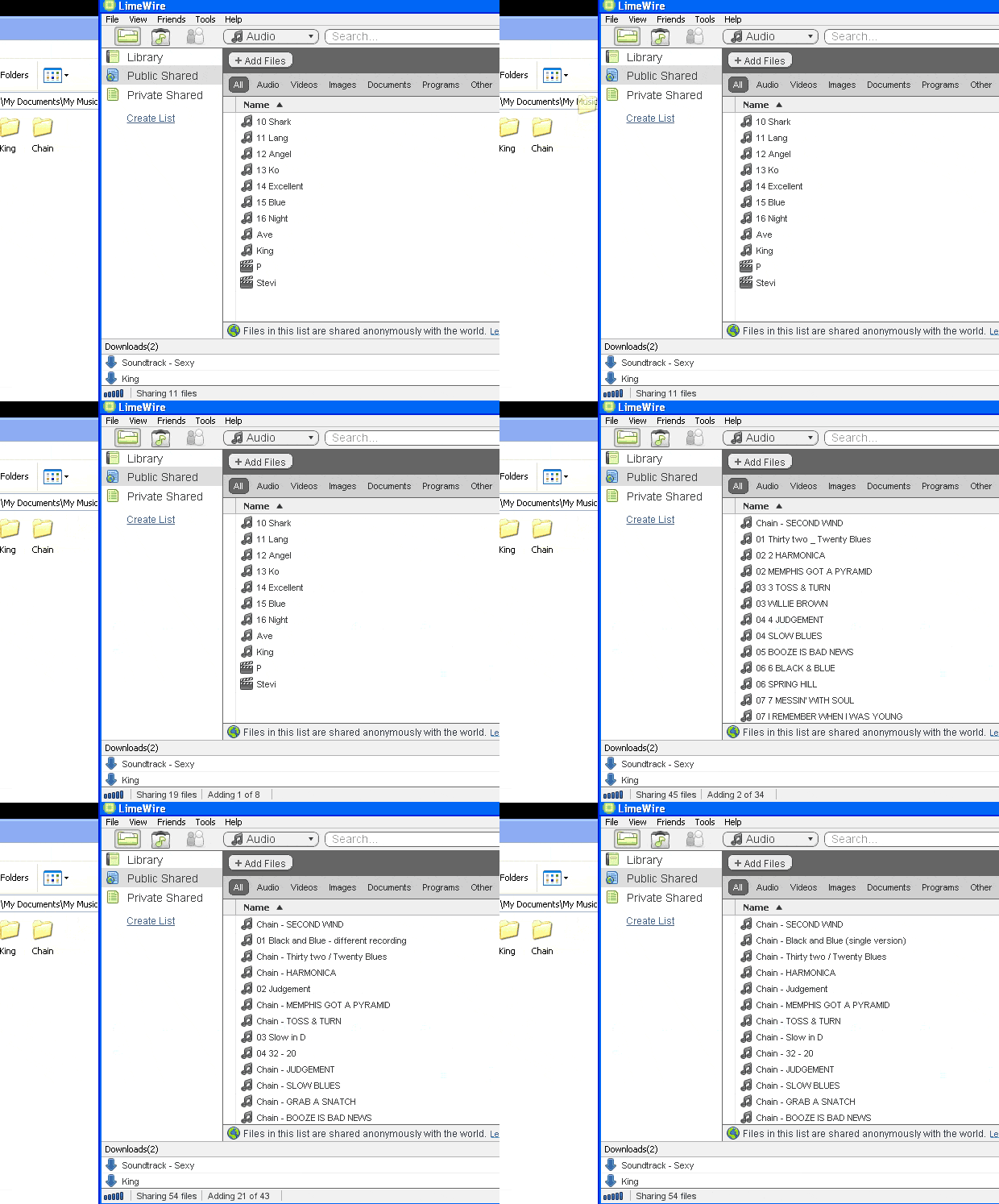
|
|
#6
September 28th, 2009
|
|||
|
|||
|
Thank you. Problem solved. You're badass.
|
|
| Tags |
| itunes, library, sync |
|
|
 Similar Threads
|
||||
| Thread | Thread Starter | Forum | Replies | Last Post |
| iTunes sync | hotnerd | LimeWire+WireShare Tips and Tricks | 1 | November 27th, 2006 03:40 PM |
| Help me how to sync Limewire and iTunes!!!! | litwilnr | Open Discussion topics | 0 | July 28th, 2006 01:04 PM |
| itunes sync | pppppaul | General Mac Support | 0 | May 3rd, 2004 01:50 PM |


 iTunes Library sync


 Linear Mode

